Documentation navigation
Appointments
Appointments combine the booking itself with patient, provider, service and note context. Use the appointment panel for direct control or ask Menaela to help.
In this pageAppointment details · Appointment actions · When Menaela acts
Appointment details
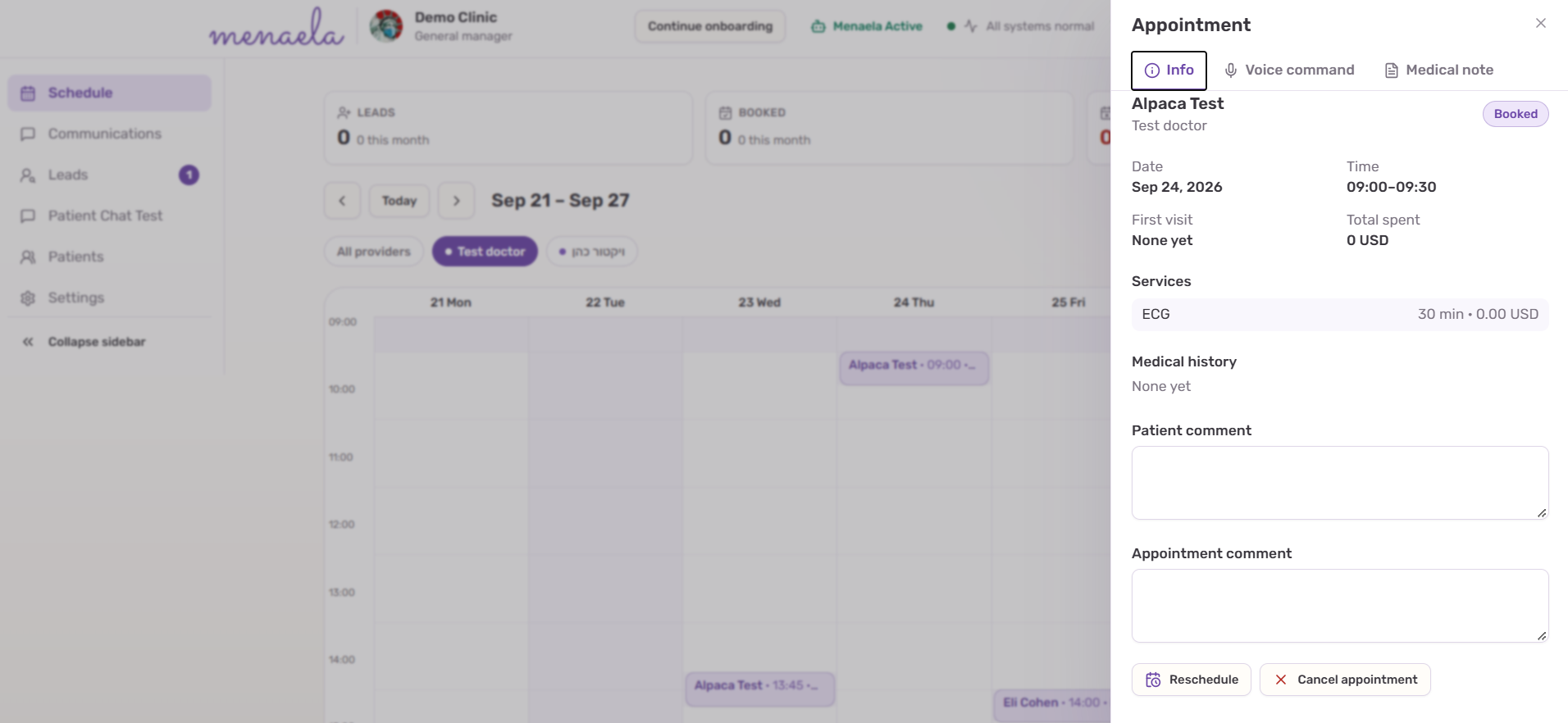
Open an appointment from the schedule to review the patient, provider, date and time, service, status and available comments. Appointment-specific medical-note tools are also reached from this context.
Appointment actions
- Book a new appointment against real clinic availability.
- Reschedule an existing appointment to another suitable slot.
- Cancel an appointment when the workflow permits it.
- Confirm an appointment or answer a patient’s scheduling question using the current appointment context.
When Menaela acts
Routine appointment actions can execute directly when the request is clear and the user is authorized. Menaela asks for clarification when the target is ambiguous and uses explicit approval controls for actions that require approval.
ImportantAvailability is checked, not invented.
Menaela should only offer or book times returned by the clinic scheduling data and applicable booking rules.