Documentation navigation
Schedule
The schedule remains the authoritative view of appointments and availability. Menaela can help you search and act on it through conversation.
In this pageWhat you see in the schedule · Work with the schedule through Menaela · Ambiguous requests
What you see in the schedule
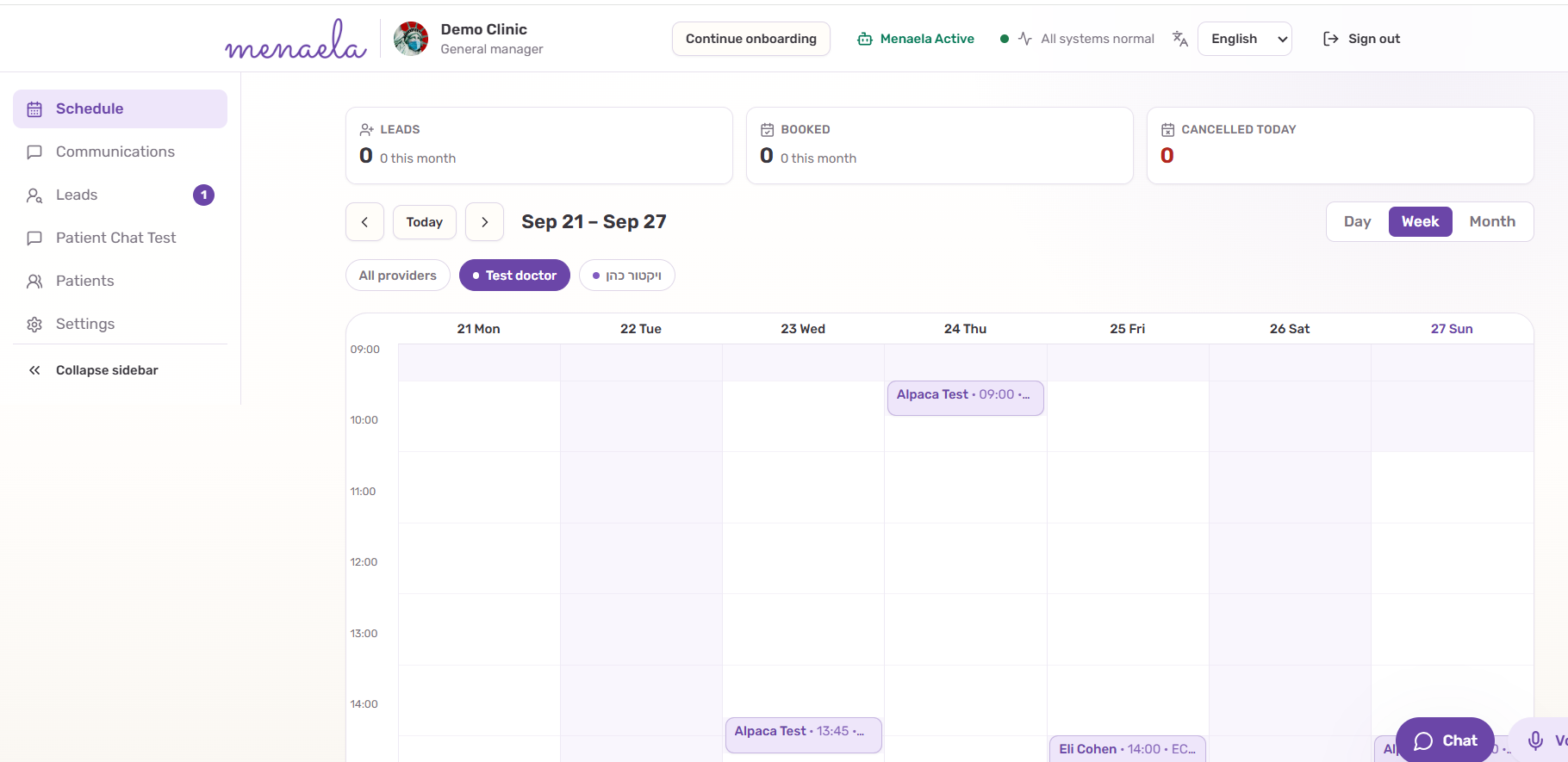
- Day, week and month calendar views for the clinic.
- Provider filters so you can narrow the calendar before reviewing availability.
- Appointment cards with the patient, time and relevant service context.
- Operational counters such as booked or cancelled appointments where available.
Work with the schedule through Menaela
Open Chat or Voice when describing the task is faster than navigating the calendar manually. Menaela can search availability and perform supported appointment actions within the signed-in user’s permissions.
- “Show my appointments tomorrow.”
- “Find the next ECG slot this week.”
- “Is there anything earlier with Dr Example?”
- “Move Dana Sample’s appointment to Thursday afternoon.”
Ambiguous requests
If several patients, appointments or services could match the request, Menaela should ask which one you mean instead of choosing silently.
Example“Move Dana to Thursday” may not be enough.
If Dana has more than one appointment, Menaela should clarify which appointment you want to change before acting.